OrderPack · Python · PDF
Generate order PDF documents from a CSV
Turn order rows into consistent PDF sheets, with calculated totals and an exception log. If one row is invalid, the order is held back rather than generated in part.
CSV → PDF
Order documents, checked.
The run processes 10 rows across 3 orders. OP-1001 and OP-1002 produce PDFs; OP-1003 is blocked as a whole because it contains an invalid row. No partial document is generated for that order.
Open the generated PDF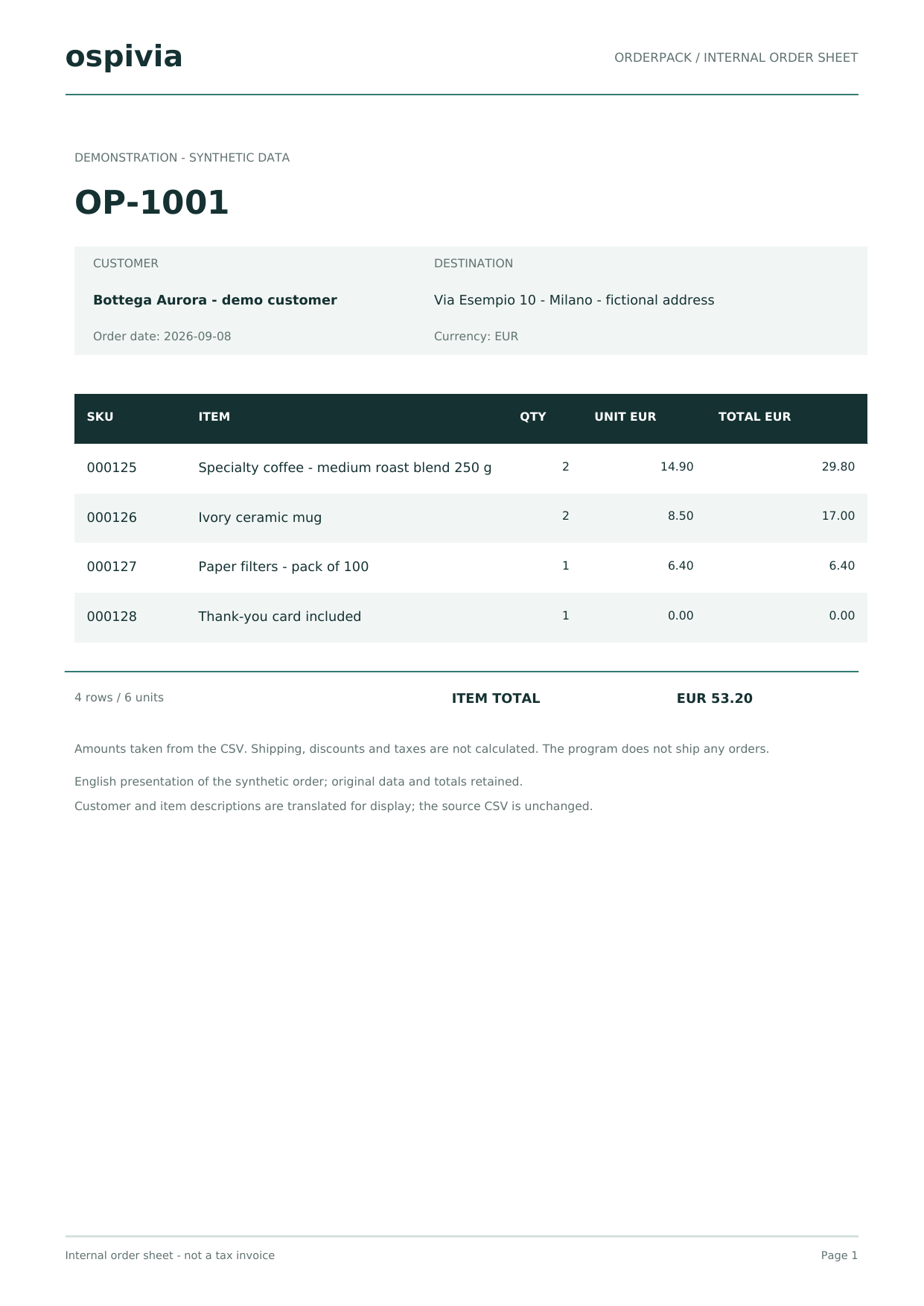
Inspect the evidence.
Internal order sheets using synthetic data, not tax invoices. Email sending, shipping and business system connections are not active.
From order rows to a document
Export schema
Identify the order code, items, quantities and prices. Keep codes with possible leading zeros as text, and agree number formats, currency and the fields required in the document.
Grouping by order
Several rows may belong to one order. A stable key groups them into the same PDF without mixing separate orders or creating a document for each item.
Quantities and totals
Validate values before laying out the PDF. Readers should be able to compare rows, subtotals and the total with the source export; rounding rules must be explicit.
Orders needing review
Decide what happens when a row is invalid. OrderPack blocks the whole order, distinguishing the invalid row from other rows blocked because they belong to that order.
Two PDFs generated and one order stopped
The example contains 10 rows across 3 orders. OP-1001 and OP-1002 produce PDFs; the OP-1001 document shows a total of EUR 53.20. An invalid quantity in OP-1003 blocks all three of its rows. The exception log explains the reason so the person correcting the file knows why that document is missing.
Download the exception log (CSV)When a dedicated workflow is useful
A manually completed template may be enough for a few changing documents. A dedicated generator is useful for a repeated format, recurring exports and consistent checks. This demo produces internal order sheets; tax invoices, carrier labels, email delivery and business-system connections need a separate scope.
What to include in your enquiry
Describe the export format, how to identify an order, which fields to print and what should happen on errors. An invented CSV and a sample document are enough for an initial assessment.
Scope, price and acceptance termsFrom the example to your workflow: scope and acceptance